
Plotstead keeps a ledger. Money out and money in, recorded against the thing it was spent on, filed to one of twenty-two accounts, each line carrying the date, who was paid, the invoice number off the paper and the GST inside the total. Bills that have not been paid yet sit apart from the ones that have.
That much is ordinary bookkeeping, and it is not why this page exists. It is also not a replacement for Xero, which is a separate conversation.
Most of what an accountant does with a property is sort the spending into what relates to income and what does not. A new cylinder in the cottage you rent out goes in one pile. The cambelt on the family Mercedes goes in the other. Same category, sometimes the same plumber, completely different answers.
So Plotstead does not ask you that question on every receipt. It asks it once, about the thing.
One question, asked once
Open an asset, open Cost & value, and there is Earns income with three answers:
- Yes. A rental, or something only used for it.
- No, private. Nothing about it relates to income.
- Partly. Both, so somebody has to split it.
Answer it once and every cost against that thing is sorted from then on, including the ones you entered last year.
There is no percentage box, deliberately. Apportioning properly wants a logbook or a floor-area calculation, and a number typed in once and never looked at again is worse than no number at all, because it looks researched. Partly means “this needs splitting”, and the report says so.
The fastest five minutes: answer for the place
The property itself gets the same question, worded as what the place is rather than what it earns. It sits just under the address: my own home, a rental, or both.
That is the answer that decides what happens to the rates, the insurance and the mortgage: the biggest numbers on most blocks, and the ones that actually get split.
Say the place is your own home and everything on it is private without you touching a single asset. Say it is a rental and it all goes the other way. Only both leaves work to do, and that is honest: on a block with a cottage let out, somebody does have to go through and say which things are which.
Two things make that much less work. Give the rental its own area, and the ledger, the register and the export can all be narrowed to it. And if the rental is a building, make its oven, heat pump and cylinder parts of that building: answer once for the building and they all follow. Let the tiny house on Airbnb and you tag the tiny house, once. The repairs to the oven inside it are sorted without you doing anything else.
Blank is not private
Anything nobody has answered for is named on the report rather than quietly counted as private. A blank means nobody has been asked, and reporting your rental as private on the strength of a default you never saw is exactly how a year of records goes missing.
When the export tells you something is unanswered, the same filter turns up on your asset register: set it to Not answered and you get exactly the things still waiting, which empties as you work through it.
What your accountant actually gets
The ledger works in New Zealand tax years, not calendar years, because that is what your accountant wants. Pick the year, then export. Both formats cover exactly the period and filters you have on screen, so what you are looking at is what comes out.
- The ledger report, a PDF that sorts the year into what earns, what needs splitting, what is private and what nobody has answered for. Each gets its totals, and all but the private one get the category breakdown too. Private is on there so the figures add up against your ledger, without itemising a household's own spending for somebody who is not going to read it.
- A spreadsheet carrying the same answer as a column, next to the invoice number, the job and who was paid. Enough to check any figure without opening the app.
The CSV is there on any plan. The report is part of Plus.
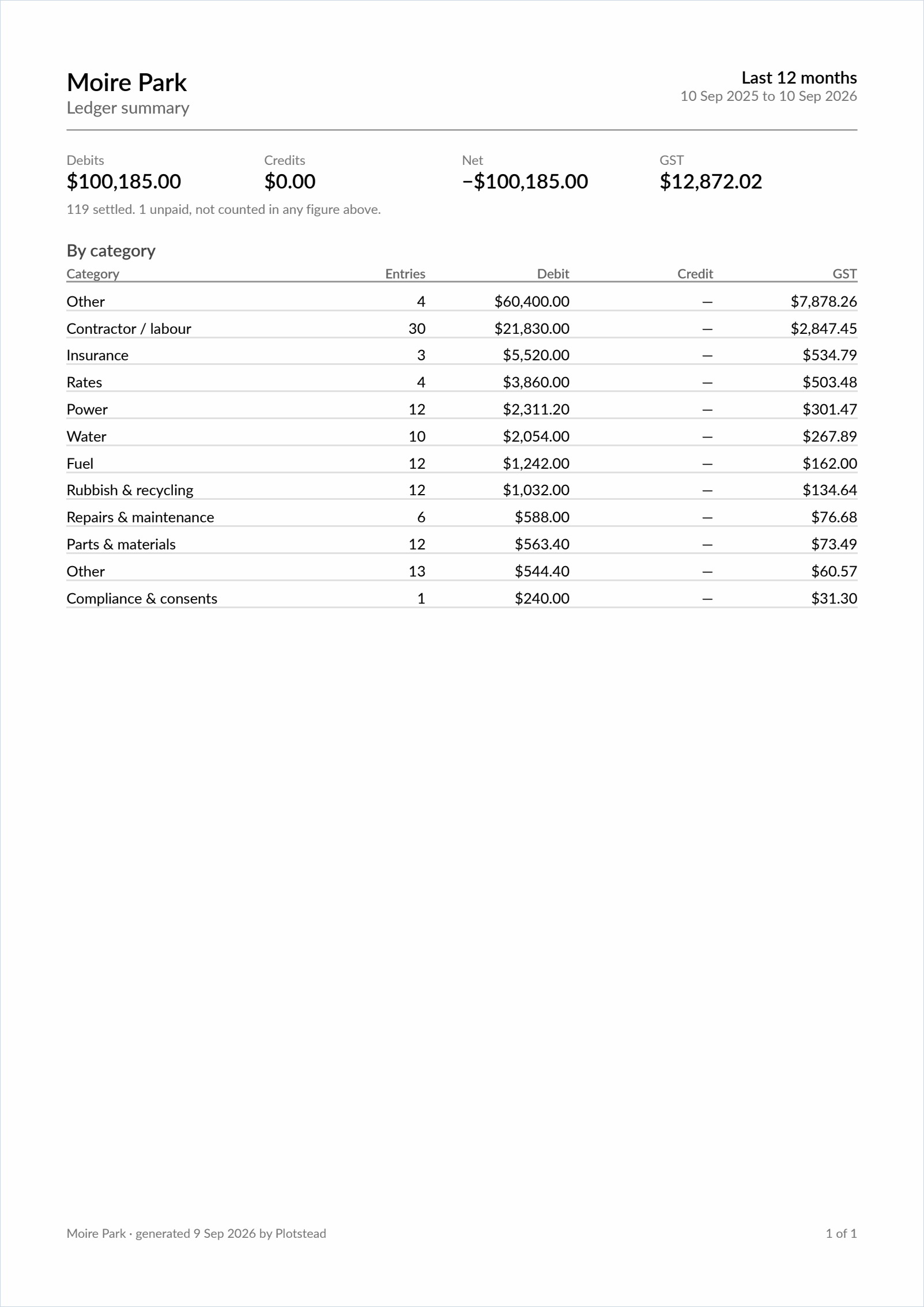
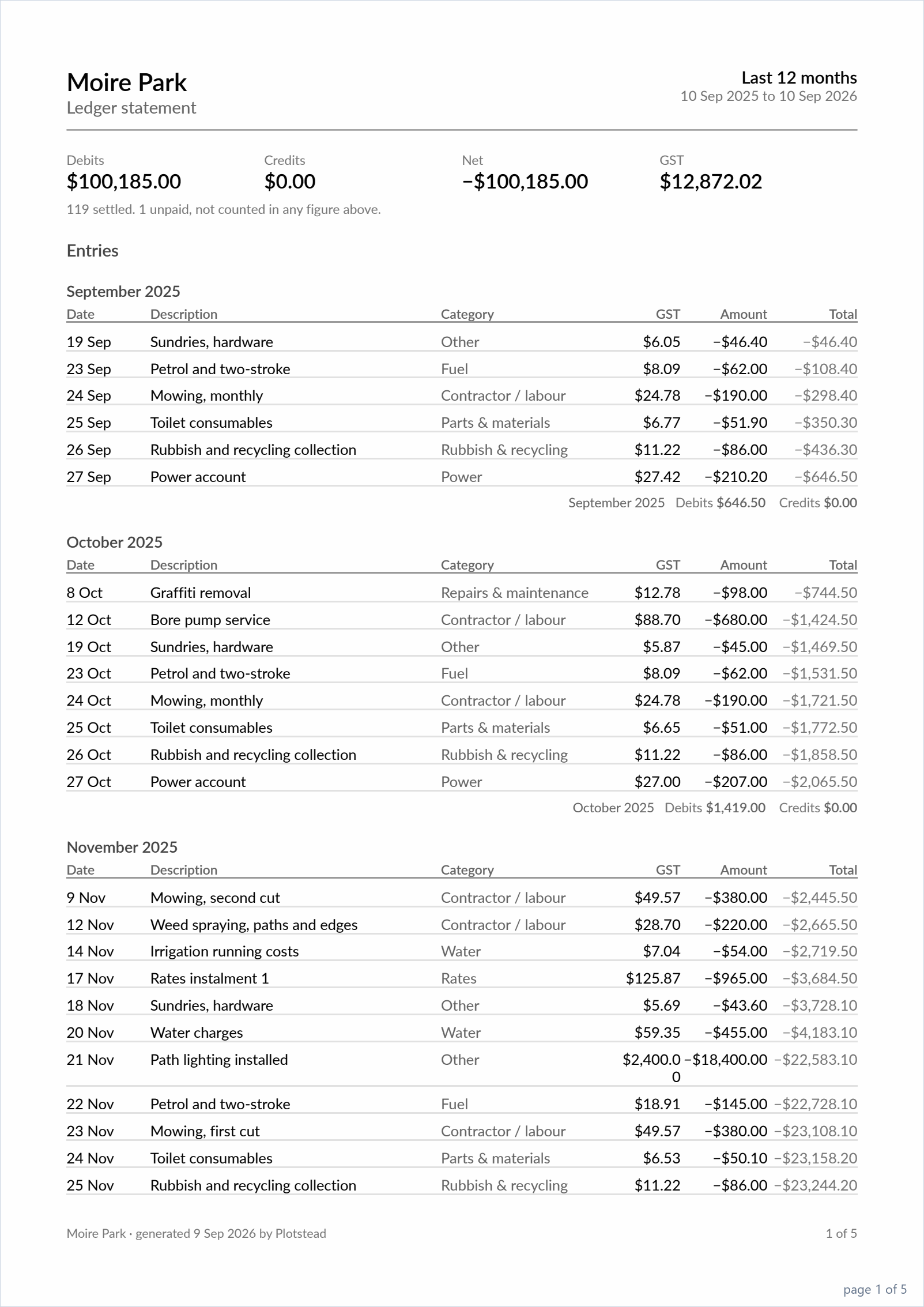
Worth it even if you never file
Once you have answered anything, a filter appears on the ledger, and it is worth a look with no tax return anywhere in sight: nothing else in the app can tell you what everything that does not earn you a cent costs to run each year.
Private spending does not disappear either. It is still your ledger, it still totals, and it is still on the export, under its own heading rather than mixed in.
What we do not do
Plotstead records what each thing is used for. It does not decide what is deductible. That depends on apportioning, on ring-fencing, and on what else you earn. Rental deductions can only come off rental income, not off your wages, which catches people out in the first year.
That is your accountant's call and your responsibility, and it is worth having them look over the first export you do. Inland Revenue's own guidance on rental expense deductions is the place to start.
One thing about dates
Unpaid costs stay out of the totals until you tick them off. Which year a cost falls in is decided by its date, though, not by when you ticked it. There is one date on a cost and it is the one you gave it. So when the date and the day the money actually left straddle 31 March, the date is what counts, and your accountant will tell you which of the two they want.
Questions
There is more in the help, including worked examples. If you have an arrangement this does not cover, the contact page is the place. The design above came from a real block with a rental cottage on it, and the next one probably will too.