
Three documents. One job, one thing, or the whole place.
You never pick. Export from a job and you get that job and the thing it is on. Export from an asset and you get a page about the asset. Export from the register and you get a table of everything. Sixty assets with every photo on them is fifty pages nobody reads. One asset as a single table row is no use to somebody standing in front of it.
The job brief: what needs doing, and where
One job, on top, in the words you wrote: what needs doing, when you want it, and whose it is, with the photos you took of the fault. Underneath, the thing it is on. Where that is on an aerial photo with your boundary round it, what it is down to the serial number, the manuals you have attached, and what has already been done to it.
It is the sheet of A4 you hand somebody at the gate, or email the night before. There is nothing for them to install and nothing to log into.
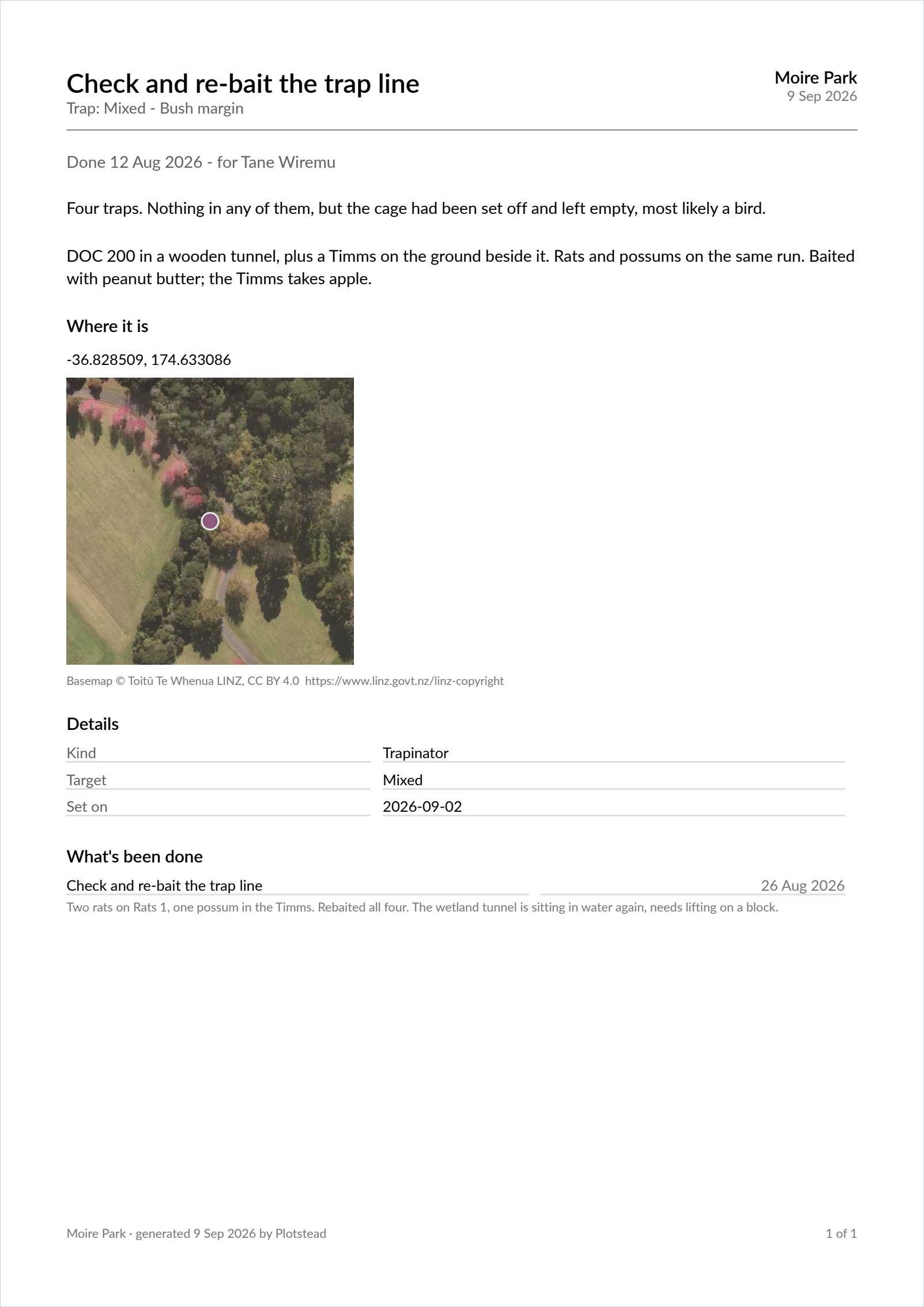
No reminders on it. A job brief is one job, and the things due on your property are not the business of whoever is doing it. The pest control operator does not need to read what the plumber is booked for. The asset brief below is the other choice, and it does show what is due, because handing that one over is handing over everything about one thing on purpose.
The asset brief: one thing, in full
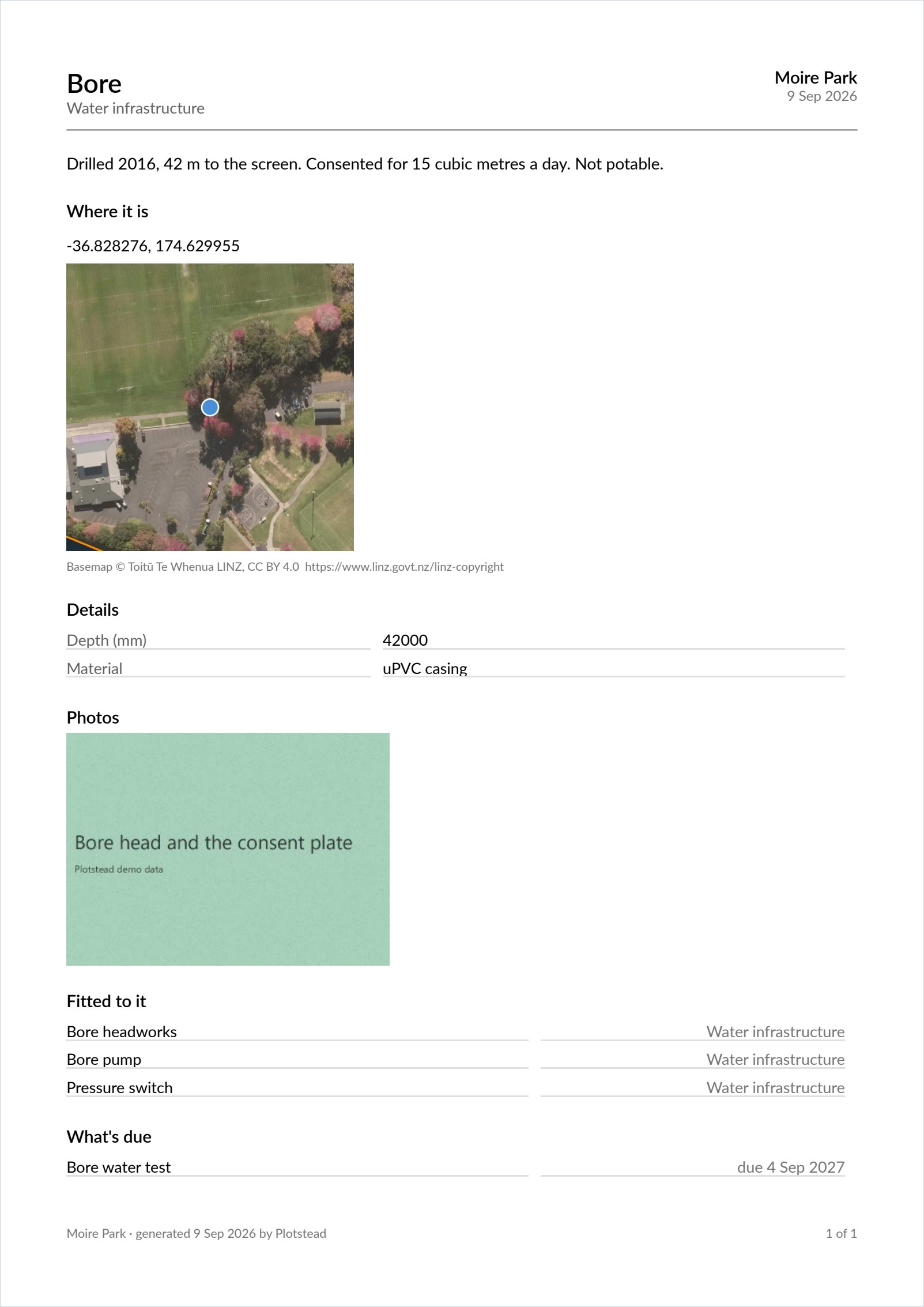
Where it is, on an aerial photo with your boundary round it. What it is, down to the serial number. What is fitted to it. Four photos. The manuals you have attached, named so they can be asked for. What is due on it. What has already been done to it.
It answers the phone call that starts “whereabouts is it, and what am I looking at”. Send it before they drive out.
No prices on either brief
Deliberate, and the decision on this page we would defend hardest. You hand a brief to somebody about to quote for the work. What you paid the last bloke must not be on that page.
So neither brief carries a purchase price, a replacement value, or what you reckon this job will cost. You never have to read one before you send it. Want the costs for one asset? The ledger report does that, and it goes to a different person.
The register: the whole place, dated
A row per asset, grouped by area, with what it cost and what it would cost to replace. Totalled at the foot. Parts sit under the thing they are fitted to.
This is what an insurer asks for after a fire, and what almost nobody has. Made now, not remembered afterwards.
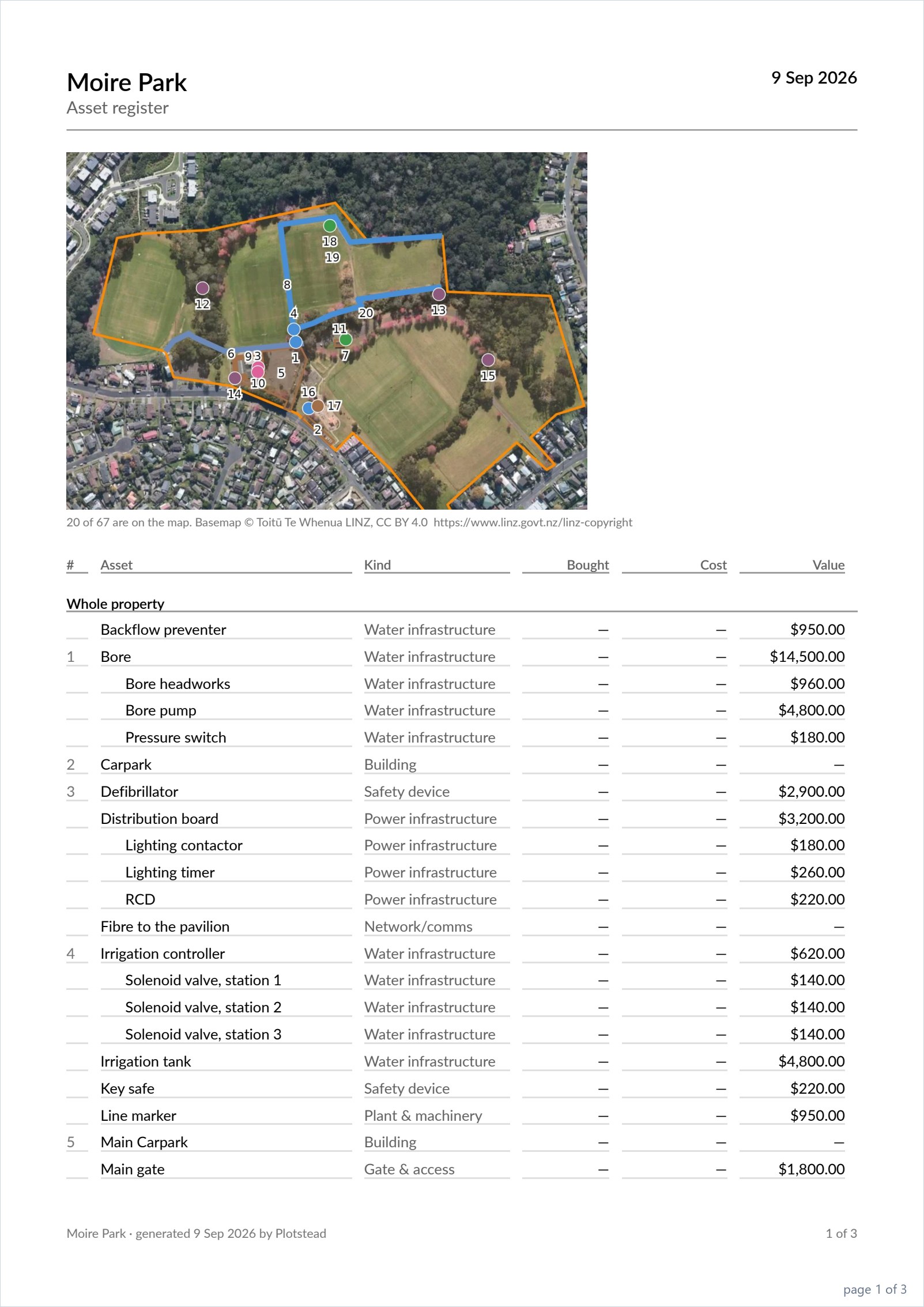
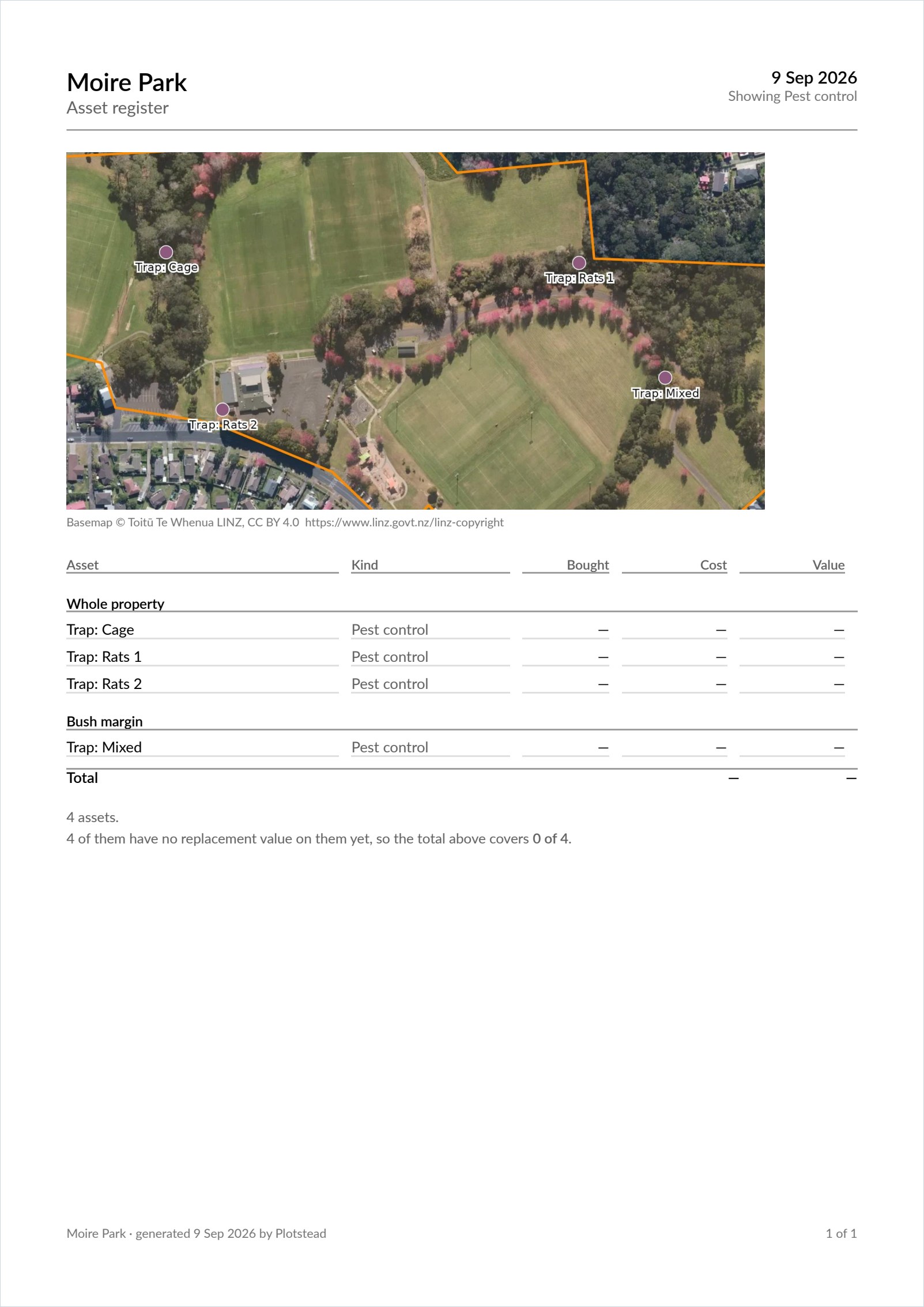
It narrows, too, and that is where most of its use is. Filter to one kind of thing and you get a document about that: every bait station for the pest control round, or every smoke alarm with its type and its battery date for the start of a tenancy. Nobody built either of those. They are this document, filtered.
It admits what it does not know
Twelve of your sixty-three assets have no replacement value? It says so under the total. It does not quietly add up the fifty-one it has.
A number that looks complete and is not is worse than no number at all. Same rule the tax export follows.
What you see is what comes out
No dialog. No column checkboxes. Filter the screen to the water and export, and you get the water. Filter to one paddock and you get that paddock.
The map follows the filter, not the property. Filter to the bait stations in the back corner and you get a map of the back corner, not four dots lost in twenty-four acres. That is a per-trade brief, and nobody had to build one.
Column pickers were considered and dropped. Forget your choices and every export costs you a dialog. Remember them, and six months after you untick replacement value for a plumber, your insurance schedule has no values in it. On the one document you produce at claim time.
The map on all three
Pins get their names where there is room. Where there is not, they get numbers and the table grows a column to match. Never named in one place and numbered in the other.
A job brief frames on the thing the job is about. If that thing has never been pinned, the sheet says so rather than leaving a gap, and the app tells you before you make it, while you are still standing in front of the asset that needs a pin.
It is a plan, not a survey. Never dig from it. A pin is where a phone thought it was, and the photo underneath was flown on a day that is not today.
What it costs
The spreadsheet is free, on every plan, forever. The laid-out PDF is Plotstead Plus.
On the register and the asset brief, both buttons sit side by side and the locked one is shown rather than hidden. “Why would I pay for my own data?” You would not. The free button next to it is the proof.
The job brief is the one exception, and it is worth saying plainly: it has no spreadsheet beside it, because it is a page laid out for a person rather than a set of rows. The job, its details and the asset it is on all come out in the register spreadsheet, which is free like the rest.
Getting your data out stays free even if you stop paying. Nothing you put in here is ever held hostage.
Questions
The app's help covers the same ground with the buttons in front of you: getting it out on paper. Who can produce one, and what a person with limited access sees on it, follows the same rules as everything else: see who else can see it. If you need a document this page does not describe, say so on the contact page.